How to Create a Professional Resume Online Using a Resume Builder
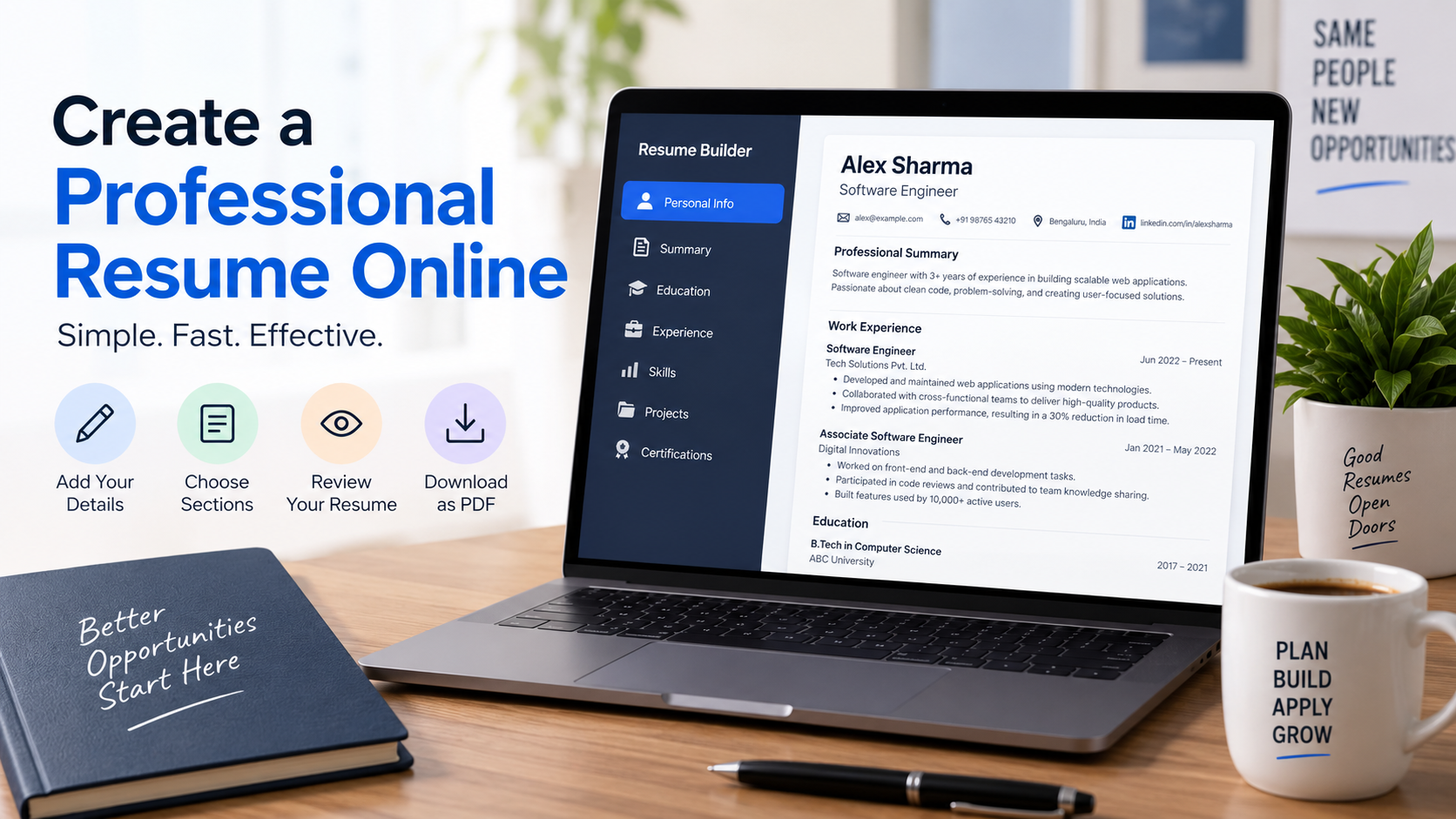
Creating a professional resume is one of the most important steps when applying for a job, internship, or new career opportunity. Your resume is often one of the first things an employer sees about you, and it provides a quick overview of your education, professional experience, skills, projects, and achievements. While the information you include is ultimately what matters most, presenting that information in a clear and organized format can make your resume much easier to understand.
Creating a resume manually can also take more time than expected. You may find yourself adjusting fonts, margins, spacing, headings, page breaks, and alignment instead of concentrating on what you actually want to tell an employer. An online Resume Builder simplifies much of this process by giving you a structured way to enter your information and turn it into a professional document.
In this guide, we will look at how you can use Resume Builder to create your resume, what information you should consider including, how to make individual sections stronger, and what you should check before downloading the final PDF.
What Is a Resume Builder?
A Resume Builder is an online tool designed to simplify the process of creating a resume. Instead of starting with an empty document and manually designing every section, you enter your information into predefined fields and let the tool organize it into a consistent structure.
You can use the Resume Builder available at:
https://projects.bineetbakshi.com/resume-builder/
The purpose of the tool is not to write your entire professional story for you. Instead, it takes care of much of the structural work so you can concentrate on providing accurate and useful information about yourself.
This distinction is important because even the best-looking resume will not be effective if the information inside it is vague, irrelevant, exaggerated, or inaccurate. Think of the Resume Builder as the framework while your experience, skills, education, and achievements provide the substance.
Why Use an Online Resume Builder?
Building a resume manually gives you complete control over its appearance, but that flexibility can also create unnecessary work. Adding one new section can change spacing elsewhere, longer descriptions can affect page breaks, and even a small formatting adjustment can make different parts of the document inconsistent.
A Resume Builder reduces many of these distractions by providing an established structure. This can be particularly useful for students, fresh graduates, first-time job seekers, and professionals who want to create or update their resumes without spending significant time designing the document.
It can also help you think systematically about your resume because the available sections remind you of the different types of information you may want to include. You can then decide which sections are relevant to your own professional background rather than trying to determine the entire structure from scratch.
Step 1: Open the Resume Builder
Start by opening the Resume Builder in your browser:
https://projects.bineetbakshi.com/resume-builder/
Once the tool loads, take a moment to understand the available sections before entering your information. If you already have an existing resume, you can keep it nearby as a reference while transferring and improving your information.
If you are creating your first resume, don’t worry about completing everything immediately. Work through the sections individually and concentrate on accuracy before trying to perfect every sentence.
Step 2: Add Your Basic Information
Begin with your personal and contact information. Your name should be clearly identifiable, followed by the contact details that an employer may need if they want to reach you.
Pay particular attention to your phone number and email address. These details may look simple, but an incorrect digit or spelling mistake can create a serious problem if a recruiter tries to contact you.
Use an email address that is appropriate for professional communication. If you include links to a portfolio, professional profile, personal website, or relevant work, make sure those links are correct and that the pages are ready for potential employers to view.
You generally do not need to fill your resume with personal information that has no relevance to the application. Concentrate on details that serve a clear professional purpose.
Step 3: Write a Strong Professional Summary
The professional summary appears near the beginning of many resumes and gives recruiters a quick introduction to your professional profile.
Avoid using this space for broad statements that could describe almost any applicant. Instead, summarize your field, experience, important abilities, or career direction. Someone with several years of professional experience might mention their specialization and strongest areas of expertise, while a recent graduate could emphasize education, internships, projects, technical abilities, and career interests.
The summary does not need to tell your entire story. Its purpose is to provide enough relevant information for the reader to quickly understand your profile and continue exploring the rest of your resume.
Keep it concise, specific, and relevant to the type of opportunity you are pursuing.
Step 4: Add Your Education
The education section should clearly present your relevant academic qualifications. Depending on your background, this can include your degree or qualification, institution, field of study, completion year, or expected graduation date.
Students and recent graduates may want to give education greater prominence because academic qualifications represent a significant portion of their current profile. Professionals with substantial work experience may instead give more space and attention to their employment history.
Whichever approach applies to you, make sure dates, institution names, qualifications, and other academic information are accurate and formatted consistently.
You do not necessarily need to include every educational detail from your entire life. As your career develops, older and less relevant information may become unnecessary.
Step 5: Describe Your Work Experience
Work experience is one of the most important sections of a resume for experienced candidates. A common mistake, however, is treating it entirely as a list of routine responsibilities.
Your job title and employer tell a recruiter where you worked, but the descriptions underneath should help explain what you actually contributed.
Think about projects you completed, problems you solved, responsibilities you managed, improvements you helped introduce, customers or teams you supported, and results you achieved. Where appropriate, accurate numbers can provide valuable context.
For example, an achievement supported by a genuine percentage, timeframe, project size, or other measurable result can be easier to understand than a vague statement about improving performance.
Never invent numbers simply because quantified achievements sound impressive. Everything on your resume should be something you are comfortable explaining during an interview.
What If You Don’t Have Work Experience?
Not having formal employment experience does not mean you have nothing useful to include on your resume.
Students and fresh graduates can use internships, academic projects, personal projects, freelance work, volunteering, competitions, relevant extracurricular activities, certifications, and other experiences to demonstrate their abilities.
Consider what you actually accomplished through those experiences. A university project, for example, can demonstrate research, programming, design, teamwork, communication, analysis, leadership, or problem-solving skills depending on what the project involved.
The goal is to show evidence of your abilities even if that evidence did not come from a traditional full-time position.
Step 6: Add Relevant Skills
The skills section should help employers quickly identify capabilities that are relevant to the position.
Avoid treating it as a competition to see how many skills you can list. A smaller collection of relevant and genuine abilities is generally more useful than a very long list containing unrelated terms.
Depending on your profession, skills may include programming languages, software applications, technical platforms, design tools, analytical methods, industry-specific knowledge, project management, communication, leadership, or other professional capabilities.
Before finalizing this section, read the description of the position you are targeting. Identify which requirements genuinely match your abilities and make sure those skills are represented clearly.
Only claim skills you actually possess. If you would be uncomfortable answering questions about a skill during an interview, reconsider whether it belongs on your resume.
Step 7: Add Projects, Certifications and Achievements
Projects can be particularly valuable when they demonstrate practical application of your skills. Rather than simply providing a project title, briefly explain what you created, what your role was, which relevant skills or technologies you used, and what the project achieved.
Certifications can also strengthen your profile when they are relevant to your profession or the position you are pursuing. Include enough information for the certification to be understood clearly, such as its proper name and issuing organization where appropriate.
Achievements should be meaningful rather than included simply to fill space. Prioritize accomplishments that demonstrate professional, academic, technical, leadership, or other relevant abilities.
Step 8: Use the Sample Resume If You Need Help
If you are unsure about what kind of information belongs in different sections, the Resume Builder includes sample information that can help you understand how the tool works.
Loading the sample allows you to see how example information is arranged throughout the resume and how the different sections come together in the final document.
The sample should be treated as a reference rather than content to copy. Use it to understand the structure, then replace the example information with your own accurate details.
This feature can be especially useful for someone creating a resume for the first time because it provides a practical demonstration before they begin working with their own information.
Step 9: Understand ATS-Friendly Resumes
When researching resumes, you may frequently encounter the term ATS. ATS stands for Applicant Tracking System, which can be used by organizations to collect, organize, search, and process job applications.
There is no single resume design that can guarantee success with every ATS because employers can use different systems, configurations, and recruitment processes. However, maintaining a clear structure, recognizable sections, readable text, and straightforward formatting is generally sensible.
Keywords can also matter, but this does not mean filling your resume with repeated terms simply to influence an automated system. Read the job description and use relevant professional terminology naturally when it accurately represents your experience.
A resume should ultimately make sense to both the systems that may process it and the people who eventually read it.
Step 10: Customize Your Resume for Each Opportunity
Creating one resume and sending it to every employer may save time, but different positions often emphasize different qualifications.
Before submitting an application, read the job description carefully and identify the skills, responsibilities, experience, and qualifications the employer considers important. Then compare those requirements with your actual background.
If you genuinely have relevant experience, make sure it is easy to find on your resume. You might adjust your professional summary, reorder certain skills, emphasize a particularly relevant project, or provide more detail about experience that closely relates to the position.
Customization does not mean copying the job advertisement into your resume. It means presenting your genuine qualifications in a way that makes their relevance easier for an employer to understand.
Step 11: Review Your Resume Carefully
Once you have entered all the necessary information, do not immediately download and submit the resume. Review the entire document first.
Check your name, email address, phone number, employment dates, company names, job titles, educational qualifications, certifications, links, and other factual information. Then proofread your descriptions for spelling, grammar, punctuation, and consistency.
After checking individual details, read the resume as if you were seeing it for the first time. Can you quickly understand what the candidate does? Are their strongest qualifications visible? Does each section provide useful information? Is anything being repeated unnecessarily?
Removing weak or irrelevant information can sometimes improve a resume more than adding another section.
Step 12: Download Your Resume as a PDF
Once you are satisfied with the resume, you can use the Download PDF option to prepare the finished document.
PDF is commonly used when submitting resumes because it helps preserve the appearance of the document when opened on different devices and operating systems.
After generating your PDF, open the actual downloaded file and inspect it again. Make sure all of your information appears correctly, no content has been cut off, and the document remains easy to read.
You should also give the file a professional name. Something simple such as “YourName-Resume.pdf” is much easier for both you and a recruiter to recognize than a filename such as “resume-final-new-3.pdf.”
Keep Your Resume Updated
A resume should not be something you create once and then ignore until you urgently need it again.
Whenever you complete an important project, earn a certification, learn a significant skill, receive additional responsibilities, change roles, or achieve a measurable professional result, keep a record of it.
Updating your resume periodically makes future applications easier because you will not have to remember several years of accomplishments at once. It also gives you an opportunity to remove older information that is no longer relevant.
As your career progresses, your resume should progress with it.
Remember That Content Matters More Than Decoration
A professional appearance is important because it makes information easier to read, but visual design should support your content rather than compete with it.
A resume filled with elaborate design elements cannot compensate for vague descriptions, irrelevant information, spelling mistakes, or inaccurate claims. Similarly, a straightforward resume containing clearly communicated achievements and relevant experience can be highly effective without being visually complicated.
Use the Resume Builder to simplify the structural side of creating the document, then invest your attention in making the content accurate, relevant, concise, and easy to understand.
Create Your Resume
If you are ready to create or update your resume, you can access the Resume Builder here:
https://projects.bineetbakshi.com/resume-builder/
Work through each section carefully, use the sample if you need help understanding the structure, review all of your information, and download the completed resume as a PDF when you are satisfied with it.
A Resume Builder can make creating the document easier, but the most important part will always be the information you put into it. A clear explanation of your education, experience, skills, projects, and genuine achievements gives employers a better opportunity to understand what you can bring to their organization.